Ergonomic Design Vector Infographic: Visualizing Posture and Pain Reduction
Communicating the nuances of body mechanics, posture correction, and pain reduction requires more than just text. When you are trying to explain why a chair adjustment matters or how a specific workflow prevents repetitive strain injury, words often fall short. This is where an Ergonomic Design Vector Infographic becomes an essential communication tool. It bridges the gap between complex anatomical concepts and actionable advice, transforming abstract health guidelines into clear, visual instructions that anyone can follow immediately.
For creators, educators, and business owners, these vector templates serve as a foundational asset. They are not merely decorative; they are functional design elements built to convey specific processes. Whether you are designing a safety manual for a warehouse, creating content for a physiotherapy blog, or updating internal HR wellness documentation, having a scalable, editable vector resource saves hours of illustration time while ensuring professional consistency.
Real-World Applications Across Industries
The utility of ergonomic visualization extends far beyond medical textbooks. In practical settings, these graphics solve specific communication problems for diverse audiences.
Corporate Wellness and HR Training
Human Resources professionals and safety officers frequently struggle with engagement during mandatory ergonomics training. Dense PDFs about "neutral spine alignment" are rarely read. By utilizing an ergonomic design vector infographic template, trainers can create visually engaging slide decks or office posters that demonstrate correct posture in seconds. The linear icons and clean layouts cut through the noise, making it easier for employees to absorb critical information about desk setup, monitor height, and keyboard positioning. This direct visual approach helps reduce workplace compensation claims by making prevention tangible rather than theoretical.
Healthcare and Rehabilitation Content
Physiotherapists, chiropractors, and occupational therapists need to provide patients with home exercise programs and lifestyle modification advice. Patients often forget verbal instructions the moment they leave the clinic. A customized infographic serving as a digital handout or printed guide reinforces the treatment plan. Because these templates include data visualization elements and process timelines, practitioners can map out recovery steps or illustrate the progression of pain reduction techniques clearly. The ability to edit colors and labels means the graphic can be branded to the clinic while remaining medically accurate and accessible to patients of varying literacy levels.
Digital Marketing and Affiliate Content
Bloggers and marketers in the health tech, furniture, or productivity niches face the challenge of keeping readers on the page. High-quality visuals increase dwell time and shareability. An ergonomic design vector infographic allows content creators to break up long-form reviews of standing desks or ergonomic mice with relevant, custom-made diagrams. Instead of using generic stock photos, you can present a unique "3-step setup guide" or a "pain point comparison chart" that adds genuine value to the reader. This aligns with helpful content principles by answering user queries visually, which search engines increasingly favor.
Educational Materials and E-Learning
Educators teaching design, nursing, or industrial engineering need precise visuals to explain human factors. Vector-based infographics are ideal for e-learning modules because they remain crisp at any zoom level, ensuring accessibility for students using different devices. The structured workflow layouts help break down complex ergonomic assessments into digestible learning units, allowing students to focus on the methodology of assessment rather than struggling to interpret poor-quality raster images.
Understanding the Design Elements and Data Visualization
Effective ergonomic communication relies on structure. These templates typically incorporate specific design features that facilitate understanding rather than just aesthetic appeal.
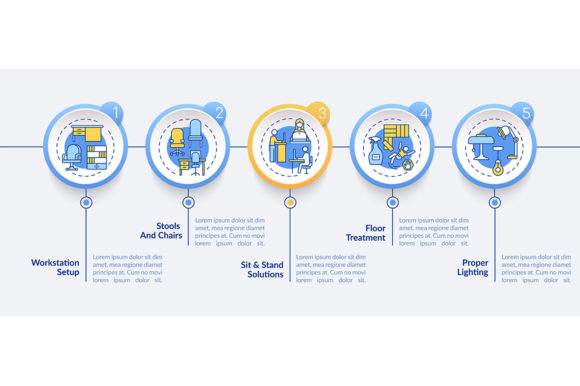
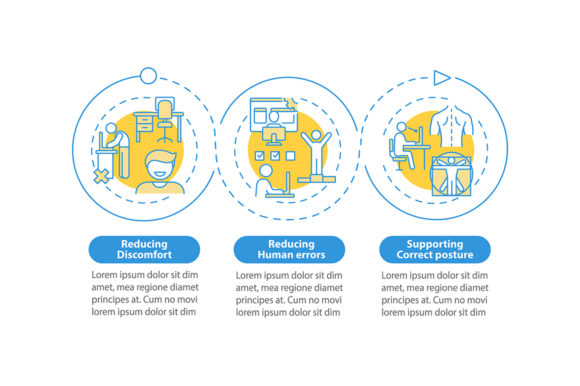
- 3-Step Data Visualization: Complex adjustments are simplified into three distinct phases. This cognitive chunking helps users remember sequences, such as "Assess, Adjust, Verify," without feeling overwhelmed by technical jargon.
- Process Timeline Charts: Ergonomics is often about habit formation over time. Timeline elements allow you to visualize the expected progression of benefits, such as reduced fatigue after week one or improved posture stability after month three. This manages expectations and encourages adherence to new routines.
- Linear Icons and Workflow Layouts: Minimalist line art reduces visual clutter. In instructional design, less is more. Linear icons direct attention to the action or the body part in question without distracting textures or shading. Workflow layouts guide the eye logically from problem identification to solution implementation.
- Correct Posture Presentation: Pre-drawn anatomical silhouettes ensure accuracy. Drawing human figures from scratch is difficult and prone to proportion errors. Using professionally designed vector bases ensures that the spinal curves and joint angles depicted are anatomically plausible and trustworthy.
Technical Versatility: EPS, SVG, PNG, and JPG
When downloading an ergonomic design vector infographic template, the file format dictates how you can use it. Most comprehensive ZIP packages include multiple formats to cover every stage of production.
EPS and SVG files are the core assets for designers and editors. These vector formats allow infinite scaling without pixelation, making them suitable for everything from business cards to billboards. More importantly, they are fully editable in software like Adobe Illustrator, Inkscape, or Affinity Designer. You can change the gender of the figure, adjust the angle of a limb, swap brand colors, or translate text into another language. This editability is what transforms a generic template into a bespoke communication asset.
PNG and JPG files serve immediate needs. If you do not have vector editing software or need a quick placeholder for a presentation draft, these raster versions are ready to use. PNGs with transparent backgrounds are particularly useful for overlaying onto existing slides, website headers, or video thumbnails. However, for final print production or high-resolution digital displays, always prioritize the vector source files to maintain professional quality.
Considerations Before Implementation
While these templates are powerful, successful application requires thoughtful consideration. Before integrating an ergonomic design vector infographic into your project, evaluate the following factors to ensure effectiveness and compliance.
Accuracy Over Aesthetics
A beautiful infographic that depicts incorrect biomechanics is worse than useless; it is potentially harmful. Always verify that the visual representation matches current ergonomic standards and medical consensus. If you are modifying a template to show a specific stretch or desk setup, consult a subject matter expert to validate the pose. The template provides the artistic framework, but you are responsible for the factual integrity of the final output.
Audience Accessibility and Inclusivity
Ergonomics affects everyone, but not all bodies are the same. Consider whether the default vector figures represent your audience. Does the template offer diversity in body type, age, or ability? If not, can it be modified to be more inclusive? Furthermore, ensure color contrast meets WCAG standards so that users with visual impairments can distinguish between different posture states or data points. Alt text descriptions should also be prepared for web use to describe the ergonomic advice contained within the image.
Licensing and Commercial Use
Check the specific license terms included in the ZIP file. While many templates allow for commercial use in client projects or marketing materials, some may restrict resale of the template itself or require attribution. Understanding these boundaries protects you legally and ethically, especially when creating deliverables for third-party clients or selling digital products.
Contextual Relevance
Avoid using a template simply because it looks professional. Every element should serve a purpose. If your audience already understands basic posture, skip the introductory anatomy and focus on advanced workflow optimization. Conversely, if you are addressing beginners, simplify the data visualization and remove unnecessary technical markers. The goal is clarity, not complexity. Adapt the template’s density to match the knowledge level and specific pain points of your target demographic.
Ultimately, an ergonomic design vector infographic is a strategic asset for anyone tasked with improving human performance and comfort. By leveraging scalable vectors, structured data visualization, and clear workflow layouts, you can transform dry safety protocols into engaging, effective visual guides. Whether reducing back pain in an office setting or teaching proper lifting techniques in a logistics center, these tools empower you to communicate vital health information with precision and impact.